今天有位QQ群内的好友求助问 Windows 任务栏不显示当前进程任务,于是我迅速的查阅了一下资料帮助这个网友找到了任务栏不显示任务如何修复解决方案。
1、一般正常系统中我们打开了多个任务后,在任务栏上是会显示出多余的任务。
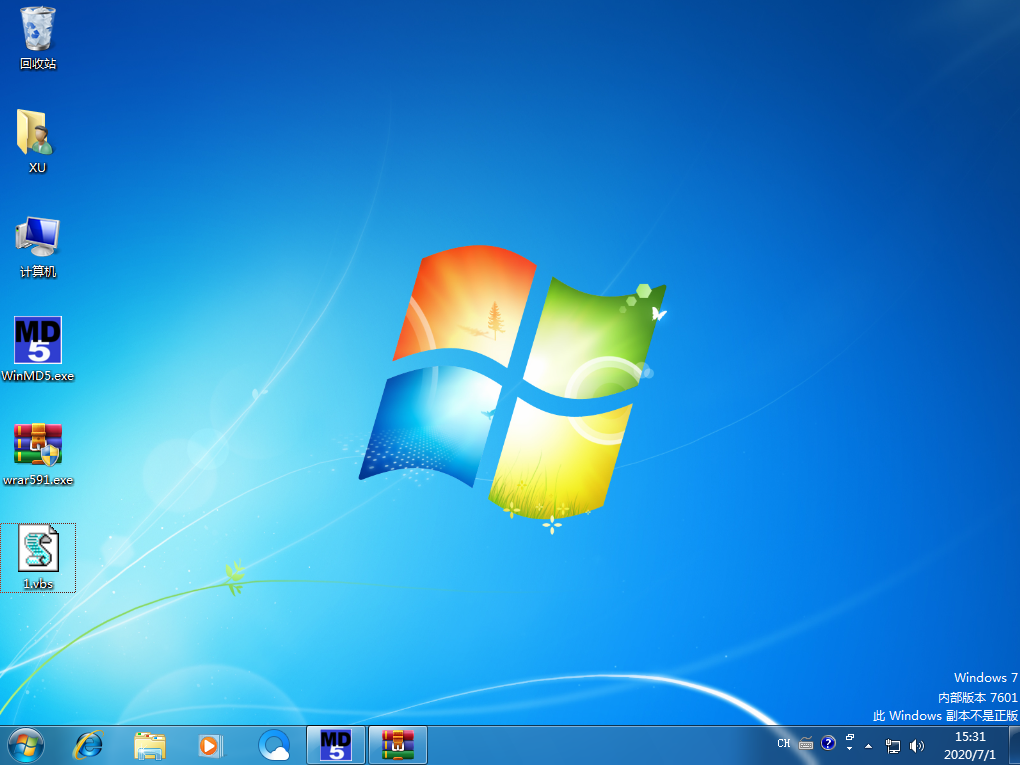
2、复制下面的代码,在桌面上新建一个文本文件,粘贴代码到文本并保存,把文本后缀 .txt 更改为 .vbs 文件。
'xp_taskbar_desktop_fixall.vbs-RepairstheTaskbarwhenminimizedprogramsdon'tshow.'2003/12/23updatedSetWSHShell=WScript.CreateObject("WScript.Shell")Message="Toworkcorrectly,thescriptwillclose"&vbCRMessage=Message&"andrestarttheWindowsExplorershell."&vbCRMessage=Message&"Thiswillnotharmyoursystem."&vbCR&vbCRMessage=Message&"Continue?"X=MsgBox(Message,vbYesNo,"Notice")IfX=6ThenOnErrorResumeNextWshShell.RegDelete"HKCU\Software\Microsoft\Windows\CurrentVersion\Explorer\StuckRects2\"WshShell.RegDelete"HKCU\Software\Microsoft\Windows\CurrentVersion\Explorer\StreamMRU\"WshShell.RegDelete"HKCU\Software\Microsoft\Windows\CurrentVersion\Explorer\Streams\Desktop\"WshShell.RegDelete"HKCU\Software\Microsoft\InternetExplorer\ExplorerBars\{32683183-48a0-441b-a342-7c2a440a9478}\BarSize"P1="HKCU\Software\Microsoft\Windows\CurrentVersion\Policies\Explorer\"WshShell.RegWritep1&"NoBandCustomize",0,"REG_DWORD"WshShell.RegWritep1&"NoMovingBands",0,"REG_DWORD"WshShell.RegWritep1&"NoCloseDragDropBands",0,"REG_DWORD"WshShell.RegWritep1&"NoSetTaskbar",0,"REG_DWORD"WshShell.RegWritep1&"NoToolbarsOnTaskbar",0,"REG_DWORD"WshShell.RegWritep1&"NoSaveSettings",0,"REG_DWORD"WshShell.RegWritep1&"NoToolbarsOnTaskbar",0,"REG_DWORD"WshShell.RegWritep1&"NoSetTaskbar",0,"REG_DWORD"WshShell.RegWritep1&"NoActiveDesktop",0,"REG_DWORD"WshShell.RegWritep1&"ClassicShell",0,"REG_DWORD"p1="HKCU\Software\Microsoft\Windows\CurrentVersion\GroupPolicyObjects\LocalUser\Software\Microsoft\Windows\CurrentVersion\Policies\Explorer\"WshShell.RegWritep1&"NoCloseDragDropBands",0,"REG_DWORD"WshShell.RegDeletep1&"NoMovingBands"p1="HKLM\Software\Microsoft\WindowsNT\CurrentVersion\Winlogon\Shell"WshShell.RegWritep1,"explorer.exe","REG_SZ"p1="HKCU\Software\Microsoft\InternetExplorer\ExplorerBars\{32683183-48a0-441b-a342-7c2a440a9478}\"WshShell.RegDeletep1&"BarSize"WshShell.RegWritep1,"MediaBand","REG_SZ"OnErrorGoto0ForEachProcessinGetObject("winmgmts:")._ExecQuery("select*fromWin32_Processwherename='explorer.exe'")Process.terminate(0)NextMsgBox"Finished."&vbcr&vbcr&"Thankyou",4096,"Done"ElseMsgBox"Nochangesweremadetoyoursystem."&vbcr&vbcr&"Thankyou",4096,"UserCancelled"EndIf3、双击打开 vbs 文件进行修复。

4、修复后一盘正常重启下电脑应该就可以了。
一般造成任务栏不显示打开窗口的原因多是由于病毒引起的,所以在你解决了任务栏不显示任务的故障后,记得给电脑查杀一下病毒。Windows 任务栏不显示任务怎么办你知道如何修复了吗?